



Microsoft Authenticator
com.azure.authenticator
 Safety
Advertisement
Microsoft Authenticator is built to solve a problem that still frustrates millions of users: secure sign-ins that do not feel clunky. At its best, this app turns account protection into a streamlined daily habit. Whether you are using multi-factor authentication, generating one-time passcodes, or going fully passwordless with a Microsoft account, the experience is designed to reduce friction without compromising security. It is not a flashy app, but it is a highly practical one, and that focus works in its favor.
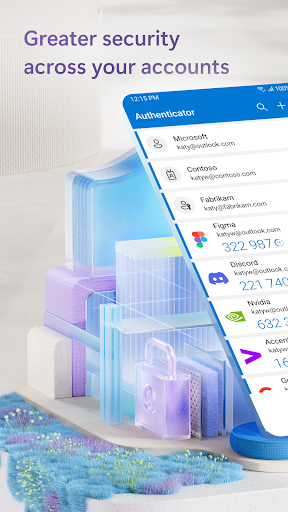
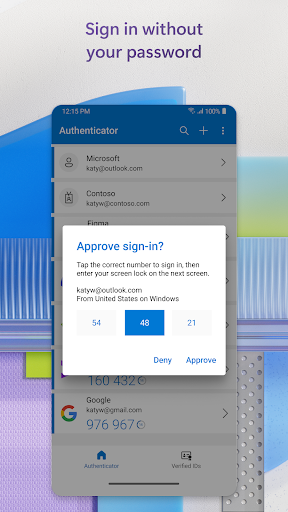
The core value here is flexibility. Microsoft Authenticator supports traditional password-plus-verification workflows, app-based approval prompts, and time-based one-time passwords with a clear 30-second countdown. That makes it useful well beyond Microsoft's own ecosystem. You can add third-party accounts from platforms like Google, Facebook, GitHub, Dropbox, and LinkedIn, which gives the app broader relevance than its name initially suggests. For users who are tired of juggling SMS codes or weak passwords, the passwordless sign-in option is particularly compelling. Approving a login with a fingerprint, face ID, or PIN feels modern, intuitive, and notably faster than entering credentials manually.
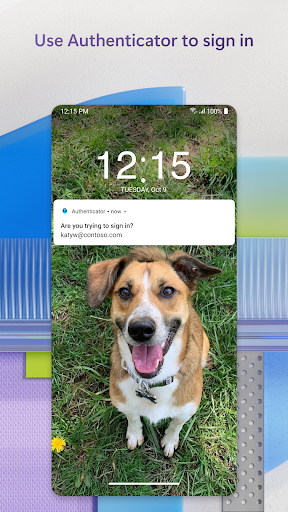
In day-to-day use, the app's biggest strength is that it stays out of the way. Push approvals are fast, OTP generation is dependable, and the QR-based setup process is simple enough for less technical users. For Microsoft personal accounts, the integration is robust and polished, especially if you regularly move between Outlook, OneDrive, and Office. In workplace or school environments, the app becomes even more valuable thanks to device registration, certificate-based authentication, and single sign-on support. Once configured, it can remove a surprising amount of login repetition from your workflow.
That said, this is still a utility-first product, and the experience can feel more functional than friendly. Users new to enterprise security may find concepts like device registration, cert-based authentication, and organization policies a bit opaque at first. Some optional permissions, such as location access for policy-based approval, may also raise understandable privacy questions, even if Microsoft is transparent about when and why they are used. The interface is efficient, but not especially warm or educational, and first-time users may need a moment to understand the differences between MFA, OTP, and passwordless flows.
The verdict is straightforward: Microsoft Authenticator is one of the most reliable and practical authentication apps available, especially for anyone already invested in Microsoft's ecosystem. Its passwordless support, strong cross-account compatibility, and enterprise-grade security features make it more than just a code generator. It is not the most inviting app in the category, but it is secure, fast, and highly effective where it matters most.









Comments