



Microsoft Teams
com.microsoft.teams
 Safety
Advertisement
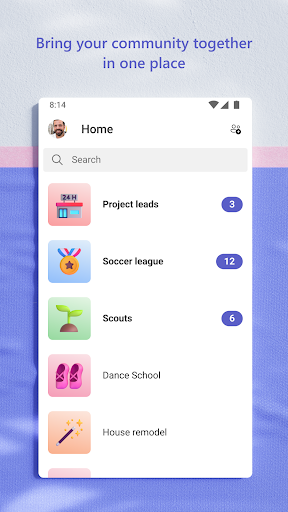
Microsoft Teams has evolved far beyond a basic workplace messenger. It now positions itself as a genuinely unified collaboration hub, folding chats, communities, meetings, shared storage, tasks, calendars, and now even legacy Skype continuity into one streamlined package. That broad scope is its biggest selling point. Rather than asking users to juggle separate apps for messaging, file sharing, video calls, and project coordination, Teams aims to keep everything under one roof. For families, local groups, and informal communities, that convenience is compelling. For work users, it can feel like the control center Microsoft has been building toward for years.
In day-to-day use, Teams is at its best when communication and coordination need to happen side by side. Chat is fast, channel-based conversations keep larger discussions organized, and the jump from text to audio or video call is refreshingly intuitive. The app does a solid job of making collaboration feel immediate, especially when you can share files, assign tasks, and pin planning details without leaving the conversation. The addition of communities and events also gives Teams more range than many business-first rivals. It is no longer just for office projects; it is equally capable of handling club planning, family logistics, or volunteer coordination.
Feature depth is where Teams becomes both impressive and, at times, overwhelming. Built-in cloud storage, document collaboration, whiteboard support, breakout rooms, screen sharing, and task management create a robust toolkit that covers most collaboration scenarios. Security is another standout. Microsoft leans heavily on enterprise-grade compliance and access control, and that matters for users who need dependable governance rather than casual chat-room simplicity. The recent Copilot meeting summaries also point to a smarter future for the platform, reducing the friction of catching up after busy channel meetings. That said, the sheer number of capabilities can make the interface feel dense, particularly for newcomers who only want lightweight communication.
The user experience reflects that tension. On one hand, Teams is polished, dependable, and highly connected to the wider Microsoft ecosystem. On the other, its ambition occasionally works against its usability. Navigation can feel layered, and certain features are clearly more valuable if you are already invested in Microsoft 365. Free users still get a lot, but some of the platform's most powerful commercial tools sit behind subscription walls, which slightly weakens the all-in-one promise. Even so, the app generally succeeds at keeping people, content, and timelines in one coherent workspace.
The verdict is simple: Microsoft Teams is one of the most comprehensive collaboration apps available, and its breadth is hard to match. It is not the lightest or simplest option, but for users who want structured communication, capable meeting tools, and integrated project support in a secure environment, it delivers a remarkably complete experience. If you can accept a learning curve and a sometimes crowded interface, Teams is a powerful, mature platform that earns its place among the category leaders.












Comments