



Easy Homescreen
easy.launcher
 Safety
Advertisement
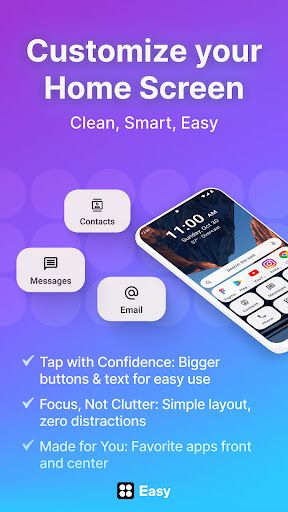
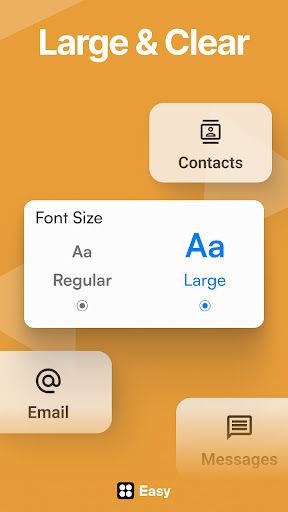
Easy Homescreen is built around a simple idea: your phone should serve you quickly, clearly, and without friction. From the moment you set it up, the app makes its value proposition obvious. This is not a flashy launcher chasing novelty for its own sake. It is a streamlined Android home screen replacement focused on readability, order, and personalization. Oversized buttons, clean labels, and a calmer layout immediately make everyday navigation feel more approachable, especially for users who are tired of cluttered interfaces or tiny tap targets.
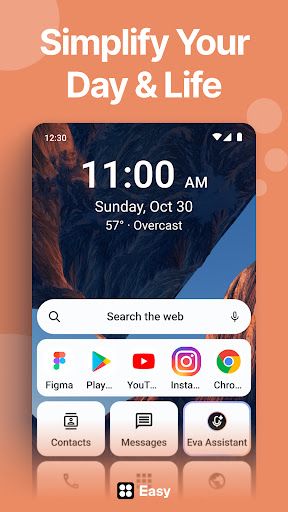
In daily use, Easy Homescreen feels intuitive in the best way. Setup appears to be one of its strongest assets, with informative instructions that lower the barrier for less technical users while still moving at a comfortable pace. Once configured, the launcher emphasizes the apps and shortcuts you actually use, rather than overwhelming you with endless icons. That focus-first design makes a real difference. Opening the phone feels less like stepping into digital chaos and more like entering a well-organized workspace. The large app buttons and clear text also give the interface a reassuring accessibility-first character without making it feel clinical or stripped down.
Feature-wise, Easy Homescreen strikes a smart balance between simplicity and flexibility. It offers theme, font, and icon customization, which helps the experience feel personal rather than generic. Widget and lockscreen widget support add practical utility, letting users keep weather, reminders, or other useful information visible without destroying the minimalist aesthetic. The optional large-key keyboard is another thoughtful inclusion, reinforcing the app's broader accessibility mission. There is also a built-in search change tied to Yahoo, which users should note before installing. Likewise, the Accessibility API disclosure is transparent, but any app requesting that level of permission deserves careful user attention, even when the stated use case is limited.
The UX succeeds because it does not confuse 'simple' with 'limited.' Easy Homescreen gives users meaningful control over what appears on the home screen, including the ability to hide less-used apps and surface essentials. That creates a robust sense of ownership and comfort. At the same time, the design language remains calm and consistent, which is crucial for a launcher meant to reduce stress. Performance notes are limited here, but the mention of bug fixes and stability improvements is encouraging, and the app's overall positioning suggests a product actively being refined.
The verdict: Easy Homescreen is a well-conceived Android launcher that delivers on clarity, accessibility, and customization. Its biggest strength is that it makes a smartphone feel less demanding and more human. A few permission and search-related details warrant a closer look before committing, but if you want a cleaner, more usable home screen experience, this is a compelling and practical option.









Comments